
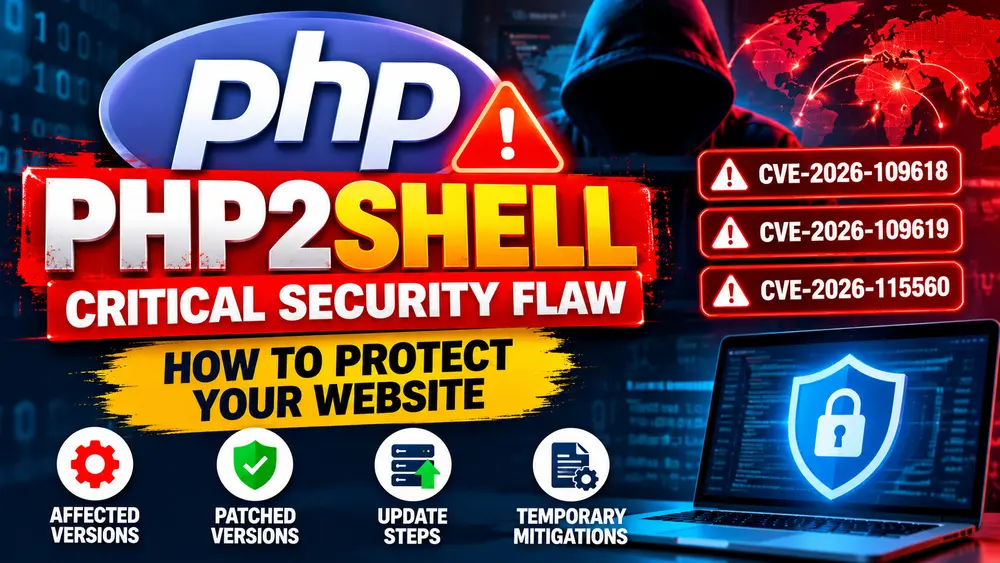
PHP2Shell Vulnerability: Critical PHP Security Flaws, Affected Versions, and How to Fix Them
Last updated: October 24, 2026
A critical security issue affecting PHP has triggered an urgent response from website owners, hosting companies, cybersecurity researchers, and government IT teams. Known as PHP2Shell, the issue involves vulnerabilities in the PHP runtime that could allow unauthenticated attackers to execute malicious code on vulnerable web servers.
On October 21, 2026, the PHP project released emergency security updates addressing two critical vulnerabilities: CVE-2026-109618 and CVE-2026-109619. Both received a CVSS v4.0 severity score of 9.2 out of 10.
The situation developed further on October 23, when the PHP project published additional guidance concerning another remote-code-execution vulnerability, CVE-2026-115560. The project recommended temporarily disabling PHP session upload progress to protect against this additional attack path until a regular bug-fix release becomes available.
Meanwhile, cybersecurity companies reported large numbers of attempts to exploit the original PHP2Shell flaws. Some organizations temporarily took websites offline while security updates were applied.
If you operate a PHP website, WordPress installation, VPS, or web application, this is the time to verify your PHP security status and apply the appropriate fixes.
Table of Contents
- What Is the PHP2Shell Vulnerability?
- What Happened in October 2026?
- Understanding the Three PHP Vulnerability Identifiers
- Which PHP Versions Are Affected?
- Why Is PHP2Shell Dangerous?
- How to Check Your PHP Version
- How to Fix PHP2Shell by Updating PHP
- Temporary Mitigation: Disable Session Upload Progress
- Fix PHP2Shell on Ubuntu or a VPS
- What Shared Hosting Customers Should Do
- What XAMPP Users Should Do
- How to Protect a WordPress Website
- How to Check for Possible Compromise
- Frequently Asked Questions
1. What Is the PHP2Shell Vulnerability?
PHP is a server-side programming language used by a large part of the web. It powers content management systems, e-commerce applications, publishing platforms, and custom websites. WordPress, for example, relies on PHP to execute application logic and generate pages.
PHP2Shell is the name used for the exploitation of critical vulnerabilities discovered in the PHP core engine. Unlike a vulnerability limited to a particular plugin or theme, these flaws exist in the runtime that processes PHP requests.
The two original vulnerabilities involve memory management and error handling. Under certain conditions, PHP can encounter an out-of-memory or fatal-error condition while internal data is only partially initialized or after memory has already been released.
When that state is handled incorrectly, a later operation may use invalid or stale internal data. Researchers demonstrated ways to turn these problems into serious security consequences, including remote code execution and memory disclosure.
Remote code execution, often abbreviated as RCE, means that an attacker can cause a vulnerable server to execute code remotely. If exploited successfully, this may allow the attacker to compromise a website or access information available to the PHP process.
The vulnerabilities are particularly serious because exploitation can occur before an application has an opportunity to apply its normal authentication or input-validation controls. Updating WordPress or installing a security plugin does not repair a vulnerable PHP runtime.
For technical background, see the Wiz Research PHP2Shell analysis and the official PHP security announcements.
2. What Happened in October 2026?
The incident developed over several days as security researchers disclosed the vulnerabilities, PHP released fixes, and organizations worked to identify affected systems.
October 21: Emergency security updates
The PHP project released security updates for PHP 8.5, 8.4, 8.3, and 8.2. These updates addressed CVE-2026-109618 and CVE-2026-109619, both classified as critical vulnerabilities with a CVSS v4.0 score of 9.2.
Organizations were advised to update exposed PHP installations promptly, including servers running PHP-FPM, Apache with mod_php, CGI-based PHP, FrankenPHP, and LiteSpeed.
October 22: Reports of widespread exploitation attempts
Cybersecurity companies reported a rapid increase in attempts to exploit the newly publicized vulnerabilities. The Guardian reported that Cloudflare had observed the number of attempts increase from tens of thousands shortly after the issue became public to millions.
Some organizations temporarily took services offline to reduce exposure while applying security updates. The Guardian also reported that the UK’s National Cyber Security Centre had sent alerts to affected organizations.
A precautionary outage does not necessarily mean a website was hacked. Organizations may intentionally restrict access to a vulnerable system while patching it.
October 23: Additional mitigation guidance
The PHP project published an informational advisory recommending that administrators disable session upload progress until the next regular bug-fix release to protect against an additional, unusual remote-code-execution scenario.
This guidance is associated with CVE-2026-115560. The issue requires a specific combination of session configuration, runtime code, and upload-progress settings. It is distinct from the two original vulnerabilities.
For current technical guidance, consult the PHP 2026 news archive and the CERT-EU security advisory.
3. Understanding the Three PHP Vulnerability Identifiers
Understanding the individual identifiers matters because the fixes and temporary mitigations are not identical.
| Identifier | Issue | Recommended response |
|---|---|---|
| CVE-2026-109618 | Memory corruption associated with out-of-memory handling. | Install the security-fixed PHP release. Use official temporary hardening guidance if immediate patching is impossible. |
| CVE-2026-109619 | Stale internal state that can survive after its backing memory has been freed. | Install the security-fixed PHP release. Disabling session upload progress can block a confirmed attack path but does not replace the update. |
| CVE-2026-115560 | An additional RCE scenario involving an unusual combination of session serialization settings and upload-progress functionality. | Set session upload progress to disabled at the server configuration level and keep it disabled until the PHP project publishes the applicable fix. |
The first two vulnerabilities were addressed by the October 21 security releases. As of October 24, the PHP project was handling CVE-2026-115560 through its regular release cycle rather than announcing a separate emergency release for that issue.
The third issue is not equally relevant to every PHP application. According to the PHP project, it requires an unusual combination of settings and application behavior. Nevertheless, disabling upload progress is a sensible temporary precaution for administrators who do not need that feature.
4. Which PHP Versions Are Affected?
The original PHP2Shell vulnerabilities affect PHP installations dating back to PHP 5.4, according to the published research. The exact patch options depend on the PHP branch, operating-system distribution, and support arrangement.
| PHP version | Security status and action |
|---|---|
| PHP 8.5.11 and earlier | Update to PHP 8.5.12 or a later security-fixed release. |
| PHP 8.4.26 and earlier | Update to PHP 8.4.27 or a later security-fixed release. |
| PHP 8.3.35 and earlier | Update to PHP 8.3.36 or a later security-fixed release. |
| PHP 8.2.34 and earlier | Update to PHP 8.2.35 or a later security-fixed release. |
| PHP 8.1 and older | These branches no longer receive ordinary security fixes directly from the PHP project. Upgrade to a supported branch or confirm that a trusted distribution or long-term-support vendor has supplied an applicable backported patch. |
Important: The version numbers above identify the original security-fixed releases. Check the official PHP website and your operating-system or hosting provider for subsequent releases and package-specific security updates.
A version number alone may not tell the complete story. Some Linux distributions and managed hosting providers backport security fixes into packages without changing the upstream PHP version to the exact release number listed above.
If your hosting provider says your server is patched despite showing an older version number, request confirmation of the specific security fixes and package build. Do not assume that the installation is vulnerable or safe based on the version number alone.
Official reference: PHP changelog and security releases.
5. Why Is PHP2Shell Dangerous?
The potential impact extends beyond a single PHP script because the affected component is the runtime used to process web requests.
Remote code execution
A successful attack could allow malicious code to run with the permissions of the affected PHP process. Depending on the server configuration, this could enable an attacker to alter website files, execute unauthorized commands, or establish further access.
Sensitive information exposure
Memory disclosure can potentially expose information held in a PHP worker’s memory. Depending on what the process is handling, this could include credentials, session-related data, API tokens, or other sensitive information.
Website defacement and malicious redirects
Attackers who gain sufficient access may modify website content, inject malicious scripts, or redirect visitors to unwanted destinations.
Database compromise
If a compromised PHP process can read database credentials, an attacker may attempt to access the associated database. The consequences depend on the privileges assigned to the database account and the isolation of the application.
Further attacks against the server
A compromised website may be used to host malicious files, send unwanted traffic, mine cryptocurrency, or attempt to reach other systems. The actual impact depends on the attacker’s access and the server’s security controls.
These are possible consequences, not proof that every vulnerable website has been compromised. The practical risk varies with the PHP configuration, exposure, security controls, and whether the system has been patched.
6. How to Check Your PHP Version
Before updating PHP, determine which runtime your website actually uses. A server can have multiple PHP versions installed, and the command-line version may differ from the one serving requests through Apache or PHP-FPM.
Method 1: Check PHP from the terminal
On Ubuntu, Linux, or a Windows system with PHP available on the command line, run:
php -vThis displays the PHP version used by that command. It does not necessarily confirm which PHP runtime is serving your live website.
Method 2: Check the PHP version serving your website
If your hosting panel provides a PHP information page, use it to inspect the version and build information associated with your domain.
For a controlled test environment, a temporary diagnostic file can display the runtime version:
<?php
echo 'PHP version: ' . PHP_VERSION;
Save this as a temporary PHP file, access it through the appropriate website, and delete it immediately after testing. Do not leave diagnostic scripts publicly accessible in production.
Method 3: Check your hosting provider’s patch status
Managed hosting providers may apply a security patch without changing the visible PHP version. Ask the provider to confirm whether the exact PHP2Shell fixes and the applicable CVE-2026-115560 mitigation are in place.
For a VPS or dedicated server, check every PHP runtime, service, container, and application environment that processes requests. Updating only the command-line PHP package may leave the live web-serving process vulnerable.
7. How to Fix PHP2Shell by Updating PHP
Installing a security-fixed PHP runtime is the primary remediation for CVE-2026-109618 and CVE-2026-109619. Temporary configuration changes cannot provide the same complete fix.
Step 1: Back up the application
Back up your website files, configuration files, and database. Confirm that you can restore the backup and store a copy securely outside the affected server.
Step 2: Identify every affected PHP runtime
Check production websites, staging environments, background workers, scheduled jobs, containers, and any other service that uses PHP. Record the PHP version, installation method, and relevant service names.
Step 3: Install the appropriate security update
Use the official PHP release, your operating-system security repository, or your trusted hosting provider’s update process. Confirm that the resulting installation contains the applicable fixes.
Step 4: Restart the actual web-serving processes
Updating packages on disk does not necessarily replace vulnerable code already loaded into running workers. Restart or reload the relevant PHP-FPM, Apache, LiteSpeed, FrankenPHP, or other web-serving processes as required by your environment.
Step 5: Verify the update
Check the runtime used by the live website. If your provider uses backported patches, confirm the package’s security status rather than relying only on the upstream version string.
Step 6: Test the website
Test login, forms, file uploads, database operations, administrative pages, scheduled jobs, and other critical features. Review application and server logs for compatibility problems.
8. Temporary Mitigation: Disable Session Upload Progress
On October 23, 2026, the PHP project recommended disabling session upload progress until the next regular bug-fix release to protect against an additional RCE scenario.
This feature normally allows PHP applications to track the progress of file uploads. If your application does not need it, disabling it can reduce exposure and is a useful precaution.
Set the following directive in the appropriate server-level PHP configuration:
session.upload_progress.enabled = OffPHP also accepts the numeric value 0:
session.upload_progress.enabled = 0Where should you configure this setting?
Use the main php.ini, a suitable PHP-FPM pool configuration, or another server-level configuration that takes effect before request parsing.
Do not rely on calling ini_set() from application code. That happens too late for the relevant early request-processing path. The PHP project also advises against relying on a per-directory .user.ini setting for this mitigation.
Restart all relevant PHP workers
After changing the configuration, restart or reload the applicable PHP workers and web-serving processes according to your server setup. Make sure the new setting is active for every relevant worker.
Verify the setting
Use your hosting dashboard or a controlled diagnostic method to confirm that upload progress is disabled for the affected runtime. Remove any temporary diagnostic files afterward.
Important limitation: This setting blocks specific session-related attack paths. It does not repair the underlying PHP runtime vulnerabilities and does not block every possible exploitation technique. Apply the official security update as soon as possible.
Official reference: PHP’s informational advisory on session upload progress.
9. Fix PHP2Shell on Ubuntu or a VPS
If you manage your own Ubuntu VPS, you are responsible for checking the installed packages, applying the update, and ensuring that the correct web-serving processes restart.
Step 1: Inspect the installed PHP version
php -v
dpkg -l 'php*'
Identify which PHP branch serves the website. Check whether PHP-FPM, Apache with mod_php, or another handler is in use.
Step 2: Refresh package information
sudo apt updateInspect the available updates and confirm that your configured Ubuntu repository or trusted PHP repository provides a security-fixed package. Distribution packages may include backported fixes.
Step 3: Upgrade the installed packages
sudo apt upgradeReview the proposed package changes before confirming. If the necessary fix is unavailable, consult your distribution’s security advisory or the trusted repository responsible for your PHP installation.
Step 4: Restart the actual PHP service
For example, if the website uses PHP 8.4 FPM and that service is installed:
sudo systemctl restart php8.4-fpmCheck the service:
sudo systemctl status php8.4-fpmReplace the example service name with the one used by your server. If Apache loads PHP as a module, or your site uses LiteSpeed or another handler, follow the appropriate restart procedure instead.
Step 5: Apply the temporary upload-progress mitigation
Locate the active PHP configuration and add:
session.upload_progress.enabled = OffFor PHP-FPM, you may use an appropriate pool-level administrative setting where supported:
php_admin_value[session.upload_progress.enabled] = 0Use the configuration file and syntax supported by your installation. Restart the relevant workers after making the change.
Step 6: Verify the result
Confirm that the security-fixed package is installed, the web-serving processes have restarted, and upload progress is disabled where intended. Test the website and check its error logs.
Do not assume that a successful package installation alone proves that the website is patched. The old PHP code may still be loaded in running processes, and multiple PHP branches may exist on the same server.
10. What Shared Hosting Customers Should Do
On managed or shared hosting, the provider usually controls the underlying PHP runtime. You may not have permission to update system packages or restart PHP workers yourself.
- Sign in to your hosting dashboard.
- Check the PHP version and any security notices for your account.
- Contact support if the PHP2Shell patch status is unclear.
- Ask whether CVE-2026-109618 and CVE-2026-109619 have been patched on the runtime serving your website.
- Ask whether the provider has implemented the recommended mitigation for CVE-2026-115560.
- Test your website after the provider confirms that the update is active.
Some providers may have deployed patched builds or server-level protections automatically. In that case, a visible PHP version number may remain unchanged. Request confirmation of the patch status instead of assuming that an unchanged number means the update failed.
If the provider cannot confirm that your public website is protected, consider temporarily restricting access to the affected application while the issue is resolved.
11. What XAMPP Users Should Do
Developers using XAMPP on Windows should check the PHP runtime bundled with XAMPP rather than assuming that the command-line PHP version is the same.
Recommended actions:
- Back up your projects and databases.
- Check the PHP version served by XAMPP’s Apache installation.
- Review official PHP and Apache Friends release information.
- Use a compatible, trusted XAMPP release that includes the required security fixes, where available.
- If maintaining a custom installation, follow a documented upgrade procedure compatible with your Apache build, PHP architecture, extensions, and configuration.
- Restart Apache and verify the runtime used by your local applications.
- Test your applications before returning to normal development work.
Do not replace individual PHP files at random or copy a PHP directory from an unrelated installation. An incompatible replacement can prevent Apache from starting or cause extensions to fail.
For the temporary mitigation, set session.upload_progress.enabled = Off in the correct PHP configuration file and restart Apache. Confirm that the setting is active in the runtime actually used by XAMPP.
Keep local development servers restricted to localhost or another trusted network unless remote access is necessary. Do not expose an unpatched development environment directly to the public internet.
12. How to Protect a WordPress Website
WordPress depends on PHP, so WordPress administrators should treat PHP runtime security as a separate responsibility from updating WordPress core, themes, and plugins.
Follow this checklist:
- Verify the PHP patch: Confirm that your hosting provider has updated the runtime or installed a verified backported security fix.
- Update WordPress: Install supported WordPress core updates after taking a backup.
- Update themes and plugins: Apply trusted updates and remove components that are no longer required.
- Back up the database and files: Keep recent, restorable backups outside the affected hosting account.
- Disable upload progress if appropriate: Follow the official PHP guidance if your application does not need this feature.
- Review administrative accounts: Remove unauthorized users and use strong passwords and multifactor authentication where available.
- Check file changes: Investigate unfamiliar PHP files, unexpected administrator accounts, altered core files, and suspicious redirects.
- Review logs: Examine available web-server, PHP, hosting, and security logs for unusual behavior.
Installing a WordPress security plugin may provide additional protection, but it does not patch PHP itself. A firewall can help block known malicious requests, yet the runtime update remains the primary fix.
13. Additional Temporary Hardening Measures
If immediate patching is not possible, follow the official PHP advisory for temporary risk reduction. These measures are supplementary and should not be mistaken for a complete solution.
Review upload and request-size limits
Use sensible limits for request bodies, file uploads, multipart form parts, input variables, and nesting depth. Enforce limits at the web server or reverse proxy as well as in PHP where appropriate.
These controls can reduce exposure to certain malformed or unusually large requests, but they do not eliminate the underlying vulnerabilities.
Be cautious with memory-limit changes
The PHP advisory describes changing memory_limit to reduce a particular out-of-memory attack path. However, setting memory_limit = -1 removes PHP’s per-request memory limit and can increase the risk of resource exhaustion.
Do not apply this change blindly to a production server. If an administrator uses this mitigation, it should be part of a controlled, temporary plan with suitable operating-system or container memory boundaries, conservative request limits, monitoring, and a clear plan to restore a finite PHP memory limit after patching.
Use a web application firewall as an additional layer
A suitable web application firewall may block known exploit patterns and suspicious requests. Keep its rules updated and confirm that they apply to the affected application.
Firewall rules can miss new or modified attacks. They should supplement, not replace, the PHP security update.
Restrict server privileges
Run PHP processes with only the permissions they require. Separate unrelated applications where practical and prevent the web-server account from writing to application files that do not need to change.
14. How to Check Whether Your Website Was Compromised
Installing the security update prevents exploitation through the fixed vulnerabilities, but it does not automatically remove malicious code that may have been installed earlier.
If your website was exposed before patching, investigate unusual activity rather than assuming that updating PHP is the end of the process.
Review server and application logs
Look for unusual request patterns, repeated HTTP 500 errors, unexpected PHP memory-limit failures, unfamiliar requests involving multipart uploads, and unexplained worker restarts.
These signs are not conclusive evidence of exploitation, but they may help identify suspicious activity. A lack of obvious errors does not prove that the server was never compromised.
Inspect website files and accounts
Check for unfamiliar PHP files, unexpected modifications to WordPress core files, suspicious administrator accounts, unauthorized scheduled tasks, and unexplained redirects.
Compare important files against trusted, clean copies where possible. Use a reliable malware scanner as one part of the investigation rather than treating a clean scan as proof that the server is safe.
Rotate potentially exposed credentials
If there is evidence that the PHP process or its memory may have been compromised, rotate potentially exposed database passwords, API keys, administrative credentials, and other secrets from a trusted environment.
Restore clean files when necessary
If malicious changes are found, preserve relevant evidence, remove the attacker’s access, and restore clean files or databases from verified backups where appropriate. Investigate how the compromise occurred before returning the application to normal operation.
For a business-critical server with credible evidence of remote code execution, consider involving a qualified incident-response professional.
15. Frequently Asked Questions
What is the PHP2Shell vulnerability?
PHP2Shell is the name associated with exploitation of critical PHP core vulnerabilities that can potentially allow unauthenticated remote code execution or memory disclosure on affected servers.
What are CVE-2026-109618 and CVE-2026-109619?
They are the two original critical PHP vulnerabilities disclosed in October 2026. One concerns memory corruption during out-of-memory handling; the other involves stale internal state after memory has been freed.
What is CVE-2026-115560?
CVE-2026-115560 is an additional RCE scenario disclosed on October 23, 2026. It requires an unusual combination of PHP session serialization configuration and upload-progress functionality. The PHP project recommended disabling session upload progress until the next regular bug-fix release.
Which PHP versions contain the original fixes?
The original fixed releases are PHP 8.5.12, 8.4.27, 8.3.36, and 8.2.35. Check official advisories for later releases and vendor-specific backported patches.
Does updating WordPress fix PHP2Shell?
No. Updating WordPress, plugins, and themes is important, but the vulnerabilities are in the PHP runtime. The runtime itself must be patched or covered by a verified vendor-provided security fix.
Is disabling session upload progress enough?
No. It is a mitigation for specific attack paths, including the additional scenario described in the October 23 advisory. It does not replace the security-fixed PHP releases addressing CVE-2026-109618 and CVE-2026-109619.
Can I fix PHP2Shell using a security plugin or firewall?
A security plugin or firewall can provide an additional layer of defense, but it cannot replace the PHP runtime patch. Install the update and retain appropriate security controls.
Are all vulnerable websites already hacked?
No. A vulnerable installation is at risk, but vulnerability does not automatically mean successful exploitation. Some organizations took services offline as a precaution while applying updates. If your server was exposed before patching, assess its logs and files for signs of compromise.
What should I do if my hosting provider has not patched PHP?
Contact the provider urgently and ask for a confirmed patch timeline. If you control the server, follow the official PHP and operating-system security guidance. Where practical, restrict public access to an exposed vulnerable service until the update has been applied and verified.
Conclusion
The PHP2Shell incident demonstrates how a vulnerability in a widely used runtime can affect websites even when their application code is otherwise well maintained. The October 2026 disclosures also show why administrators need to follow security advisories as they evolve, rather than relying on a single initial announcement.
The immediate priority is to verify and install the security-fixed PHP release addressing CVE-2026-109618 and CVE-2026-109619. Administrators should also apply the PHP project’s recommended session upload-progress mitigation for the additional CVE-2026-115560 scenario until the applicable fix is available.
After updating, restart the correct web-serving processes, verify the active runtime, test the application, and investigate suspicious activity if the server was exposed before patching. Keep backups, limit application privileges, and use firewalls and request-size controls as additional defenses.
Do not rely on a temporary configuration change or firewall rule as a substitute for patching. Verify your PHP security status with your hosting provider or server administrator and keep monitoring official PHP security announcements for further updates.
Official References and Further Reading
- PHP official security announcements and October 2026 guidance
- PHP 8 changelog and fixed releases
- Official PHP downloads
- Wiz Research: PHP2Shell technical analysis
- CERT-EU: Critical PHP vulnerabilities
- Google Cloud: Response and remediation guidance
- The Guardian: Report on worldwide PHP exploitation attempts
- BBC News: PHP security incident coverage
Disclaimer: This article is for general security information. Check the latest official advisories and your operating-system or hosting provider’s instructions before making production changes. Configuration requirements differ between server environments.