

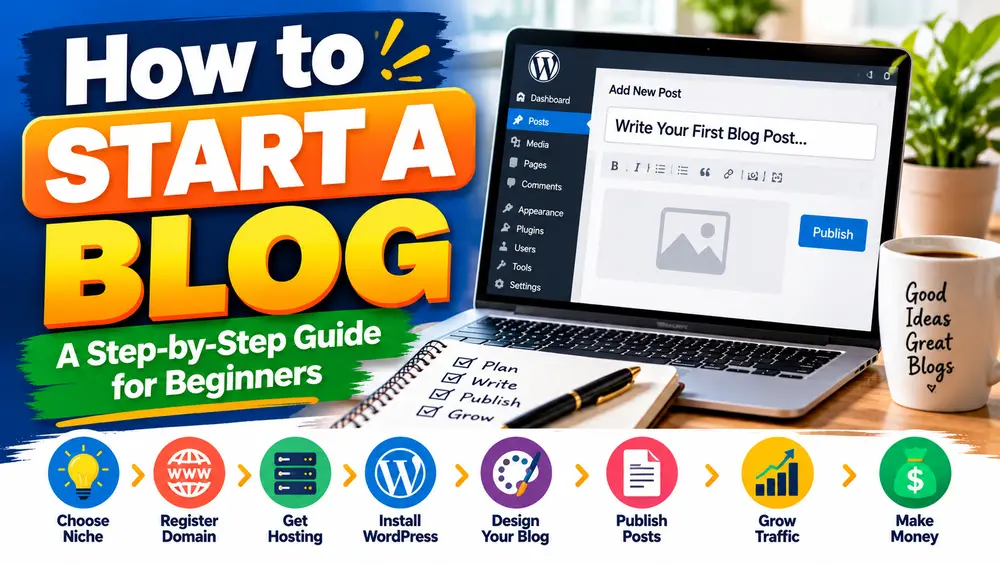
Starting a blog in 2026 is an exciting way to share your knowledge, build an online presence, connect with people who share your interests, and potentially earn money online. Whether you want to write about technology, travel, personal finance, food, blogging, or everyday experiences, a blog gives you a platform to publish your ideas and reach readers around the world.
However, starting a successful blog involves more than choosing a name and publishing a few articles. You need a clear topic, a reliable website setup, useful content, a basic understanding of search engine optimization, and a realistic plan for attracting readers.
The good news is that you do not need to be an experienced developer to get started. Modern blogging platforms, particularly WordPress, make it possible for beginners to create and manage a professional website without writing all the code themselves.
In this guide, you will learn how to start a blog step by step, choose a suitable niche, register a domain name, set up WordPress, publish your first article, improve your search visibility, and explore ways to monetize your website.
Whether you are starting a personal blog or planning a long-term online business, this guide will help you understand the process and avoid common beginner mistakes.
Table of Contents
- What Is a Blog and How Does It Work?
- How to Choose a Profitable Blog Niche
- How to Choose a Domain Name
- How to Buy Hosting and Install WordPress
- How to Design Your Blog
- How to Publish Your First Blog Post
- Basic SEO Settings Every Beginner Should Configure
- How to Get Traffic to a New Blog
- How to Monetize a Blog
- Common Blogging Mistakes to Avoid
- Frequently Asked Questions
- Final Thoughts
1. What Is a Blog and How Does It Work?
A blog is a website or section of a website where articles are published regularly. These articles are commonly called blog posts. They may explain a subject, answer a question, provide instructions, share personal experiences, or offer opinions and recommendations.
For example, a technology blog might publish software tutorials, while a food blog might share recipes. A website about blogging could publish articles about WordPress, content creation, search engine optimization, and website monetization.
Most blogs organize their articles into categories and allow visitors to discover content through navigation menus, search features, related articles, and links within posts.
How Does Blogging Work?
The basic blogging process is straightforward:
- You choose a subject that you want to cover.
- You create a website using a blogging platform.
- You research questions your intended readers want answered.
- You write and publish useful articles.
- You help readers discover those articles through search engines, social platforms, communities, and other relevant channels.
- You improve your content based on reader feedback and website performance.
Over time, a useful collection of articles can become a resource that attracts returning visitors and new readers.
Can You Make Money from Blogging?
Yes, blogging can generate income, but earnings are not guaranteed. Results depend on factors such as your subject, content quality, audience, competition, traffic sources, and monetization strategy.
Some bloggers earn money through display advertising, affiliate marketing, sponsored articles, digital products, or services. Others use a blog to build professional credibility or support an existing business.
If you are new to blogging, focus first on understanding your audience and creating helpful content. Monetization becomes easier to evaluate once you know who your readers are and what they need.
2. How to Choose a Profitable Blog Niche
A blog niche is the main subject or group of related subjects your website covers. Choosing a suitable niche is one of the most important decisions you will make because it influences your content strategy, target audience, competition, and potential revenue sources.
For example, instead of publishing unrelated articles about cooking, mobile phones, fitness, and stock markets, you might focus on home cooking and publish recipes, ingredient guides, kitchen tips, and meal-planning articles.
Choose a Topic You Understand or Want to Learn Deeply
Start by listing subjects you understand, enjoy researching, or have practical experience with. You do not need to be the world’s leading expert, but you should be willing to learn, verify information, and explain topics responsibly.
Consider these questions:
- What subjects do I enjoy discussing or researching?
- What questions do people frequently ask about these subjects?
- Can I create useful articles about this topic consistently?
- Can I provide practical examples, original insights, or personal experience?
- Are there suitable products, services, or advertising opportunities related to this audience?
Research Your Potential Audience
A promising niche should have an identifiable audience with questions that your blog can answer. Search engines, online communities, product reviews, and discussions can help you understand what people want to learn.
You can use Google Trends to explore changes in search interest and Google Search Console to monitor search performance after your website begins receiving impressions.
Keyword research tools can also help you identify specific topics. Remember that search-volume estimates and competition scores are approximations, not guarantees of future traffic.
Evaluate Competition and Monetization Potential
Search for your proposed topics and examine the pages that already appear in search results. Consider whether you can create something more useful, clearer, more current, or more relevant to a particular audience.
Do not select a niche only because another website appears to earn a lot of money. A competitive topic may be difficult to enter, and a high advertising rate does not guarantee high earnings.
Choose a subject where audience needs, your interests, content opportunities, and realistic business potential overlap.
Examples of Blog Niches for Beginners
- Blogging and WordPress tutorials
- Technology guides and software tutorials
- Cooking and practical recipes
- Travel planning and destination guides
- Home organization and DIY projects
- Career development and professional skills
- Fitness education and healthy lifestyle information
- Personal finance education
Some subjects, particularly health and finance, require extra care because inaccurate advice can have serious consequences. If you cover these topics, use reliable sources, communicate limitations, and avoid unsupported claims.
Beginner tip: Start with one main niche and a small number of closely related categories. You can expand later when you understand your audience and publishing capabilities better.
3. How to Choose a Domain Name
A domain name is the address people use to visit your website, such as example.com. A good domain should be easy to remember, simple to spell, and suitable for the kind of content you plan to publish.
Your domain name is part of your brand identity. Choosing carefully can make your website easier to recognize and promote.
Tips for Choosing a Good Domain
- Keep it simple: Avoid unnecessarily long names or complicated spellings.
- Make it memorable: Choose a name that people can recall after hearing it.
- Think about your future plans: Avoid names that restrict you to a narrow topic if you expect to expand.
- Choose an appropriate extension: A .com domain is widely recognized, while other extensions may also suit your brand and audience.
- Check availability: Confirm that the domain is available for registration.
- Check for conflicts: Research existing businesses and trademarks to reduce the risk of legal or branding problems.
Should You Include Keywords in Your Domain?
You do not need to include your main keyword in your domain name to succeed in search engines. A distinctive brand name can work well when supported by useful content, clear website structure, and a positive user experience.
Choose a domain that represents your brand rather than attempting to include several keywords in the address.
Register Your Domain Securely
Purchase your domain through a reputable registrar. Use a strong, unique account password and enable two-factor authentication when available.
Keep your registration contact details accurate, monitor renewal dates, and enable automatic renewal if appropriate for your circumstances.
Before purchasing a domain, check the total renewal price and any additional fees rather than comparing introductory prices alone.
4. How to Buy Hosting and Install WordPress
Web hosting is the service that stores your website’s files and makes them accessible online. A domain is your website’s address, while hosting provides the infrastructure needed to serve your pages.
For beginners who want control over their website and a large ecosystem of themes and plugins, self-hosted WordPress is a practical option.
Choose a Hosting Plan
Compare hosting providers based on reliability, support, security, backups, performance, storage, and renewal costs.
Shared hosting may be sufficient for a small new blog. As your traffic and technical requirements grow, you can evaluate whether a more capable hosting plan is necessary.
Look for features such as:
- Support for a current, compatible version of PHP and a supported database.
- Free or easy-to-configure HTTPS certificates.
- Automated backups or a reliable backup mechanism.
- Security updates and account isolation.
- Clear resource limits and renewal pricing.
- Responsive technical support.
Install WordPress
Many hosting providers offer an automatic WordPress installer. The exact process varies by provider, but the general steps are similar.
- Purchase a hosting plan and register or connect your domain.
- Point your domain to the correct hosting service.
- Open your hosting control panel.
- Find the WordPress installer and select your domain.
- Create a secure administrator username and password.
- Complete the installation and sign in to the WordPress dashboard.
You can learn more about the platform at the official WordPress documentation.
Configure HTTPS and Basic WordPress Settings
Make sure your website uses HTTPS and that the WordPress Address and Site Address settings use the intended secure domain. If you change an existing website’s URL, plan the migration carefully to avoid redirect loops or broken resources.
Next, review your site’s title, tagline, language, timezone, discussion settings, and user accounts.
Choose a strong administrator password and avoid using a predictable username with a weak password. Keep WordPress, themes, and plugins updated, and remove unused software when appropriate.
Before making major changes, confirm that you have a working backup and know how to restore it.
5. How to Design Your Blog
Your website’s design affects how easily visitors can read articles, find information, and navigate between pages. A good blog design does not need complicated animations or dozens of features.
For a beginner, a clean layout with readable text, sensible spacing, and simple navigation is usually a better starting point than an elaborate design that loads slowly or distracts readers.
Choose a Responsive WordPress Theme
A responsive theme adapts to different screen sizes, including phones, tablets, and desktop computers. Because many readers browse on mobile devices, test your website on smaller screens before publishing.
Start with a reputable, maintained theme that supports your intended layout. Avoid themes from unknown sources or packages that contain unauthorized or modified premium software.
Create the Essential Pages
Before promoting your blog, create the pages readers may need to understand your website and contact you.
- About Us: Explain your website’s purpose, subject areas, and editorial approach.
- Contact Us: Provide a working email address or contact method.
- Privacy Policy: Explain your actual data collection and privacy practices.
- Terms and Conditions: Where appropriate, explain the terms governing use of your website.
If you plan to accept guest contributions, you may also create a Write for Us page describing your editorial requirements.
Organize Your Navigation Menu
Use clear labels that help readers understand where each link leads. Common navigation items include Home, Blog, Categories, About, and Contact.
Organize related articles into a manageable number of categories. Avoid creating a separate category for every individual post or using multiple overlapping categories without a clear reason.
Prioritize Readability and Performance
Choose a comfortable font size, strong text contrast, and sufficient spacing between paragraphs. Use headings to divide long articles into meaningful sections.
Optimize images, avoid unnecessary plugins, and test important pages for loading problems. Tools such as Google PageSpeed Insights can help identify performance issues.
Your main goal is to help visitors find and understand information without unnecessary friction.
6. How to Publish Your First Blog Post
Your first article establishes the direction of your blog. Instead of publishing a short post simply to make the website look active, choose a specific question your intended audience wants answered.
Research a Useful Topic
Start with a question that fits your niche. Examine search results, relevant community discussions, and authoritative resources to understand what readers need to know.
Identify the main question your article should answer and the related questions that belong in the same piece.
Create an Outline Before Writing
An outline helps you organize your ideas and prevents unnecessary repetition. A practical structure might include:
- A descriptive title.
- An introduction explaining the reader’s problem.
- A direct answer or useful overview.
- Step-by-step instructions or clearly organized sections.
- Examples, supporting evidence, or original observations.
- Common mistakes and practical tips.
- A conclusion summarizing the main points.
Write for People, Not Just Search Engines
Use clear language and explain unfamiliar terms when necessary. Provide enough detail for the reader to understand the subject without adding paragraphs solely to increase the article’s length.
When discussing products, services, or tools, explain their practical uses and limitations. When citing statistics or factual claims, use reliable sources and make sure the information supports the point being made.
Format Your Article Properly
Use one main H1 heading for the article title, followed by H2 headings for major sections and H3 headings for relevant subsections.
Break up long paragraphs where it improves readability. Use numbered lists for instructions and bullet points for related items.
Add images only when they contribute meaningfully to the article. Use descriptive alternative text for informative images and avoid stuffing image descriptions with keywords.
Proofread and Preview Before Publishing
Check spelling, grammar, links, headings, and factual claims. Preview the article on desktop and mobile, and confirm that images display correctly.
Make sure the article provides a complete answer to the question it targets. Once you are satisfied with its quality, publish it and check the live page.
How Long Should a Blog Post Be?
There is no universal word count that guarantees search rankings. The right length depends on the subject, the reader’s needs, and the amount of explanation required.
A simple tutorial may need only 800 words, while a detailed guide may require 2,000 words or more. Focus on completeness, clarity, originality, and usefulness rather than writing to a fixed number.
7. Basic SEO Settings Every Beginner Should Configure
Search engine optimization, commonly called SEO, helps search engines discover, understand, and present your content to people searching for relevant information.
SEO does not guarantee traffic or rankings, but a well-structured website and useful content can improve your chances of being discovered through organic search.
Set Up Google Search Console
Google Search Console is a free service that helps website owners monitor search performance, understand indexing issues, and inspect individual URLs.
Verify your website, submit your sitemap, and review the reports as data becomes available. Remember that submitting a sitemap does not guarantee that every page will be crawled or indexed.
Create and Submit an XML Sitemap
An XML sitemap lists URLs that you want search engines to discover. Many WordPress SEO plugins generate sitemaps automatically, and WordPress itself may provide a basic sitemap.
Open your sitemap to confirm that it loads correctly and contains the intended URLs. Submit its location in Google Search Console.
Write Descriptive SEO Titles and Meta Descriptions
An SEO title should accurately describe the article and help readers understand what they will find on the page.
A meta description can summarize the article’s value and may be used as the search-result snippet. Search engines can generate a different snippet when they consider another passage more relevant.
Use your primary keyword naturally when it fits the title and description. Avoid repetitive keyword insertion or misleading promises.
Use Clean, Descriptive URLs
Keep article URLs understandable and reasonably short. For example:
https://example.com/how-to-start-a-blog/
Descriptive URLs help readers understand the subject before opening a page. If an article is already published and indexed, do not change its URL unnecessarily. If you must change it, configure an appropriate permanent redirect.
Use Internal Links
Internal links connect one page on your website to another. They help visitors discover related content and help search engines understand the relationships between your pages.
For example, an article about starting a blog could link to detailed guides about WordPress installation, keyword research, website performance, and monetization.
Use descriptive anchor text and link only where the destination provides relevant additional information.
Make Your Website Easy to Crawl
Check that important articles are not accidentally blocked by robots.txt rules or noindex directives. Make sure navigation links work and avoid creating unnecessary duplicate URLs.
Use HTTPS, maintain a sensible website structure, and fix broken internal links. For additional guidance, consult Google’s SEO Starter Guide.
Follow Helpful Content Principles
Write primarily to help your intended audience. Demonstrate relevant knowledge, explain important details, and ensure the article provides genuine value.
Do not assume that repeating keywords, publishing large numbers of similar articles, or reaching a specific word count will make a page rank well. There is no guaranteed formula for achieving a particular search position.
8. How to Get Traffic to a New Blog
A newly launched blog usually has limited visibility. Search engines need to discover its pages, and readers need a reason to visit and return.
Rather than relying on a single traffic source, build a sustainable strategy around useful content, discoverability, and relevant audience engagement.
Publish Consistently
Choose a publishing schedule that you can maintain without sacrificing quality. Publishing one excellent article each week may be more practical than attempting to publish several weak articles every day.
Plan related articles in advance so that your website gradually develops useful coverage of its main subject areas.
Target Specific Search Questions
Broad keywords can be highly competitive. More specific queries may help you identify particular problems your audience wants to solve.
For example, instead of writing only about WordPress, you could publish a detailed guide to troubleshooting a specific WordPress error.
Specific queries are not automatically easy to rank for, so evaluate the existing search results and determine whether you can produce a genuinely useful resource.
Promote Articles Where Your Audience Spends Time
Share relevant articles on social platforms, professional communities, newsletters, or discussion forums where sharing is permitted and appropriate.
Contribute useful answers to discussions rather than posting the same promotional link repeatedly. Respect community rules and focus on helping people.
Build an Email Audience
An email newsletter can help readers discover new articles and return to your website. Offer a clear reason to subscribe, explain what subscribers will receive, and obtain consent where required.
Send useful updates rather than overwhelming subscribers with unnecessary messages. Provide an effective unsubscribe option.
Use Internal Linking to Connect Your Content
When you publish a new article, link to it from relevant existing pages where the link helps readers. Add links from the new article to useful supporting resources as well.
Over time, these connections can create a more organized library of content and make it easier for visitors to explore your website.
Measure Performance and Improve
Use Google Search Console to review impressions, clicks, search queries, and indexing information. If you use an analytics tool, examine relevant visitor behavior while respecting applicable privacy requirements.
Look for patterns that help you decide which topics deserve further development. Update articles when information becomes outdated or when you identify a meaningful opportunity to improve their usefulness.
Organic growth can take time. Avoid making major decisions based on a few days of data or promises of guaranteed rankings.
9. How to Monetize a Blog
Once you begin building useful content and attracting an audience, you can evaluate different ways to generate revenue. You do not need to implement every method at once.
1. Display Advertising
Advertising networks may allow eligible websites to display advertisements and earn revenue from qualifying impressions or interactions.
Google AdSense is one option, but approval is not guaranteed. Your website must comply with applicable publisher policies and provide content and navigation suitable for visitors.
Advertising income depends on factors such as audience location, content category, advertiser demand, traffic quality, and ad placement. A large number of visitors does not guarantee a particular level of earnings.
2. Affiliate Marketing
Affiliate marketing involves recommending products or services through tracked links. You may earn a commission when a qualifying purchase or other action occurs.
Choose products that genuinely suit your audience, describe their strengths and limitations honestly, and disclose affiliate relationships clearly where required.
3. Sponsored Articles
Companies may pay for relevant content collaborations or sponsored placements on suitable websites.
Sponsored content should be clearly disclosed. Paid links should be qualified appropriately in line with search engine guidance, and commercial relationships should not override your responsibility to readers.
4. Digital Products
You could sell original ebooks, templates, checklists, courses, or other digital resources that help your audience solve a particular problem.
Before investing substantial time in a product, learn whether your audience needs it and whether you can deliver genuine value.
5. Freelance Services
A blog can demonstrate your knowledge and help potential clients discover your services. Depending on your skills, you might offer writing, website development, design, consulting, or other professional services.
Useful tutorials and case studies can show prospective clients how you approach real problems.
6. Memberships and Premium Content
If your audience values specialized resources or ongoing guidance, you may consider a membership or subscription model. This requires a clear value proposition and a sustainable plan for delivering benefits to paying members.
7. Generate Leads for a Business
Some blogs support a separate business by attracting people who need its products or services. In this model, the blog helps readers discover useful information while introducing relevant business offerings.
When Should You Start Monetizing?
There is no universal traffic threshold that determines when a blog should begin monetizing. The right time depends on the method, audience, website quality, and relevant program requirements.
Focus on publishing useful content, making your website trustworthy, and understanding your readers. Add monetization methods that suit the audience without making the website difficult to use.
10. Common Blogging Mistakes to Avoid
Many new bloggers make avoidable mistakes because they focus on quick results rather than building a useful website. Understanding these problems early can save time and resources.
Choosing a Niche Only for Its Revenue Potential
A topic may appear profitable but still be unsuitable if you cannot produce accurate, useful content for its audience. Consider your interests, experience, research capabilities, and the questions readers need answered.
Copying Other Websites
Copying articles or rewriting competitors’ content without adding meaningful value can damage your credibility and create copyright problems.
Research existing resources to understand a topic, but develop your own explanations, examples, structure, and insights.
Expecting Immediate Traffic
A new website may take time to build visibility and earn readers’ trust. Search rankings and traffic fluctuate, and no publishing schedule can guarantee fast results.
Concentrate on content quality, website accessibility, and consistent improvement instead of chasing instant success.
Ignoring Technical Maintenance
Outdated software, missing backups, broken links, and security weaknesses can create serious problems. Keep your website maintained and periodically check that important pages and forms work correctly.
Installing Too Many Plugins
Plugins can add useful features, but unnecessary or poorly maintained plugins may introduce security risks, compatibility problems, and performance overhead.
Install only software that serves a clear purpose, obtain it from reputable sources, and remove plugins you no longer need.
Writing Only for Search Engines
Content written primarily to manipulate rankings often provides a poor reading experience. Repeating keywords, padding articles, and publishing large quantities of similar pages do not guarantee search visibility.
Start with the reader’s problem and create the most useful answer you reasonably can.
Giving Up Too Early
Blogging requires sustained effort. You may need to improve your topics, writing, website structure, and promotion strategy as you learn what works.
Set realistic goals, review your progress periodically, and make changes based on evidence rather than expecting every article to succeed immediately.
Frequently Asked Questions About Starting a Blog
Can I start a blog for free?
Yes. Some platforms offer free blogging plans, which can be useful for learning and experimenting. However, free plans may limit your domain options, customization, storage, monetization, or control over the website. A self-hosted WordPress website generally requires a domain and hosting plan.
Is WordPress good for beginners?
Yes. WordPress offers a large collection of themes, plugins, documentation, and learning resources. Beginners can create and manage a blog without developing every feature from scratch, although website maintenance and security still require attention.
How much does it cost to start a blog?
The cost depends on the platform, domain, hosting plan, themes, and additional services you choose. A simple self-hosted blog may require only a domain and an affordable hosting plan, while premium themes, paid plugins, professional design, and other services can increase expenses. Check current pricing and renewal fees before purchasing.
How many articles should I publish before promoting my blog?
You can promote a useful article as soon as it is published. You do not need to wait until you have a particular number of posts. However, publishing several strong articles and creating essential website pages can help new visitors understand your website and discover related information.
How often should I publish blog posts?
Choose a schedule you can maintain while protecting content quality. One well-researched article per week may be a reasonable starting point for some bloggers, while others may prefer a different pace. Consistency is useful, but publishing frequency alone does not guarantee rankings.
Can I start a blog without technical knowledge?
Yes. Website builders and WordPress hosting services make it possible to launch a blog with limited technical knowledge. You will still benefit from learning basic concepts such as domain management, backups, security, SEO, and website maintenance.
How long does it take for a blog to get traffic from Google?
There is no fixed timeline. Some pages may be discovered relatively quickly, while others take much longer or never receive meaningful search traffic. Results depend on factors such as indexing, competition, content quality, website structure, and search demand.
Can I make money blogging without millions of visitors?
Potentially, yes. Some business models can work with smaller, relevant audiences, especially when readers have a clear need for a service, product, or specialized resource. However, revenue is never guaranteed, and the suitability of each monetization method depends on the audience and business model.
Is blogging still worth starting in 2026?
Blogging can still be worthwhile when you have a clear audience, publish genuinely useful content, and approach the project with realistic expectations. Competition, changing search experiences, and evolving reader habits mean that success requires more than publishing generic articles. Original insight, practical experience, and a strong reader experience remain important foundations.
Final Thoughts: Start Your Blogging Journey Today
Learning how to start a blog is the first step toward building an online platform that can grow with your interests, knowledge, and goals.
You do not need an elaborate website or hundreds of articles on day one. Begin by choosing a suitable niche, selecting a memorable domain, setting up a reliable website, and publishing useful content for a clearly defined audience.
As your blog develops, improve its design, learn basic SEO, connect related articles, and use real performance data to guide your next steps. Explore monetization when it makes sense for your audience and your website is ready to support it.
Most importantly, focus on helping readers. A successful blog is built through useful information, consistent effort, responsible publishing, and a willingness to improve.
Your first article does not have to be perfect. It needs to be a meaningful beginning.
Ready to start? Choose your topic, make a simple plan, and take the first step toward building your blog today.
Hi, this is a comment.
To get started with moderating, editing, and deleting comments, please visit the Comments screen in the dashboard.
Commenter avatars come from Gravatar.